


Anatomy 3D Atlas
4.4260.00 Reviews
App Specs
- Version
- 7.2
- Updated On
- License
- Free
- Downloads
- 5,000,000+
- Developer
- Catfish Animation Studio
- Categories
- Medical
- Platform
- Android, iOS
Screenshots
 Analysis by AppCompare
On a shared tablet, an anatomy app can turn a spare moment into a useful conversation: one person asks where a muscle sits, another rotates the model, and everyone can look at the same structure. I tried Anatomy 3D Atlas with that kind of casual learning in mind, and its strongest appeal is the chance to inspect the body visually rather than relying only on a flat diagram. It is a medical learning app from Catfish Animation Studio, and I think it suits curious households as well as students who want a visual aid between study sessions.
One screen, several ways to learn
The shared-use scenario works best when people take turns exploring instead of treating the app like a lecture. One person can choose a structure, another can try to identify what surrounds it, and then you can rotate the model to check your guess. That simple routine makes the three-dimensional view useful: it encourages questions about position and relationships, not just memorizing a label. It is especially handy when a textbook picture feels too abstract to explain how parts sit together.
I would keep expectations realistic, though. A 3D model can clarify spatial relationships, but it is not the same as a teacher correcting a misunderstanding or a medical reference explaining a clinical case. I use it as a visual learning companion, not as a diagnostic tool or a substitute for professional instruction. If someone in the household has a health concern, the app is not the place to decide what it means.
Setting up a session without muddling goals
Before handing over the device, it helps to agree on one small question to explore: for example, which structures lie beside a selected organ, or how a particular body system fits into the whole. That keeps a shared session focused and makes it easier for a younger learner to follow along. I also find it useful to let the person who asked the question control the model; otherwise, the session can become one person navigating while everyone else watches.
There is a practical trade-off with shared use: each person may be at a different level. A beginner might want a broad overview, while a student may want to inspect a specific structure closely. Taking turns and stating the goal out loud avoids the app feeling either too basic or too dense. If several people use one device, keep any notes or study plans in a separate place that everyone understands; I would not assume the app provides household profiles or shared progress tracking.
Why the 3D view can beat a stack of diagrams
Compared with a printed chart or a basic image search, the app’s main advantage is that you can change the viewpoint yourself. A diagram is often clearer for a quick label check, but it fixes the angle. Here, rotating and zooming can help when a learner is trying to understand depth, orientation, or what is hidden behind another structure. For revision, I’d use a diagram for a fast overview and the model when a flat image leaves a spatial question unresolved.
It is not automatically better than every alternative. A textbook usually offers a more structured explanation, while a live lesson can respond to questions in context. A 3D atlas is strongest in the middle: it gives you something you can manipulate, but you still need to supply a learning plan and verify important details against suitable educational material. That balance is why I see it as a supplement rather than a complete anatomy course.
Worth Reading Before You Choose

Flipboard Shows What News Apps Must Do Beyond the Feed

Switching to Android Auto Means Rethinking Your Driving Routine

Google Calendar Makes a Crowded Week Easier to Manage

Ludo King Makes the Most of the Minutes Between Plans

Baby Panda World Brings Quick Play to Modern Phones, but Its Game Library Feels Busy

ESPN’s Live Game View Makes Following Close Games Easier
An Interactive Journey Through the Human Body
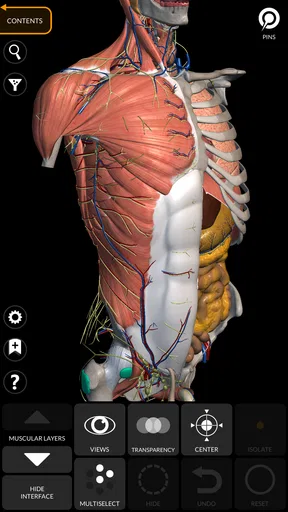
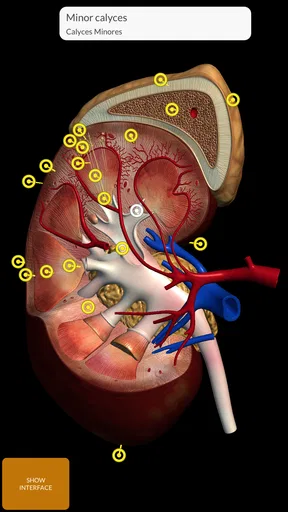
First things first, let's talk about what makes Anatomy 3D Atlas stand out. The app offers an immersive 3D exploration of the human anatomy. You can rotate, zoom, and pan across different body structures with just a swipe. It's like Google Earth, but for the human body. And trust me, the level of detail is just mind-blowing.
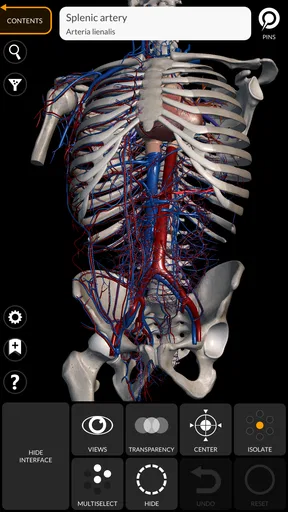
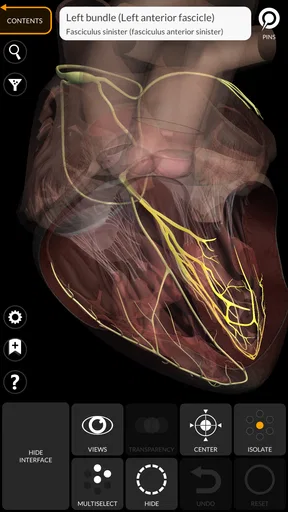
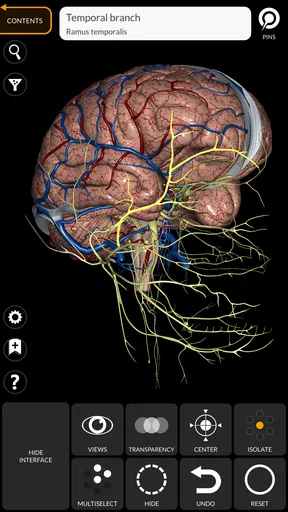
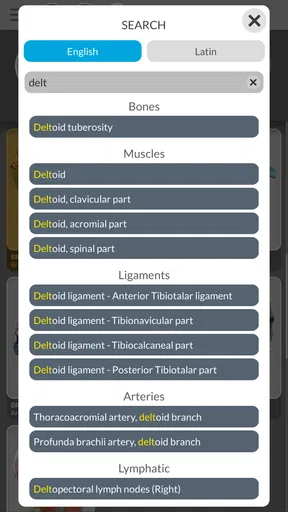
The user interface is pretty straightforward. You start off with a full view of the body, and from there, you can delve deeper into specific systems like the skeletal, muscular, or circulatory systems. Each section is color-coded, which makes navigation a breeze. Plus, there's a handy search function for when you're feeling a bit impatient.
Features That Keep You Hooked
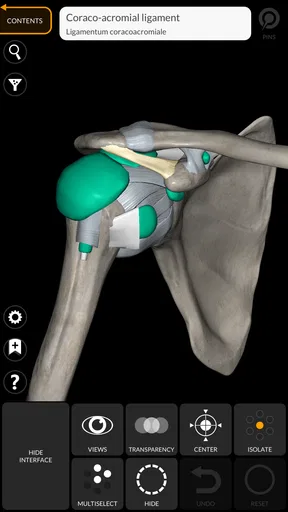
One of the coolest features is the ability to isolate specific parts. Want to see how the heart sits snugly between the lungs? Just click on the heart, and everything else fades away. It's super helpful for focusing on particular areas without getting distracted by neighboring structures.
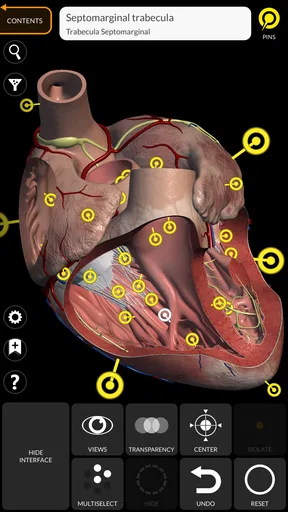
Another neat aspect is the app's detailed descriptions. Each part of the body has a little info blurb that pops up when you tap on it. It's like having a mini anatomy lesson right there. And if you're a visual learner like me, you'll appreciate the high-definition graphics that make studying a lot more engaging.
A practical routine for home study
For a study session, I would resist the urge to browse randomly for too long. Start with a topic from a class or reading, search for its structure, isolate it, and then bring nearby parts back into view. That sequence turns the model into a quick self-test: first identify the part on its own, then see whether you can recognize its position among neighboring structures. It is a small workflow, but it makes the interactive view do more than simply look impressive.
When the goal is memorization, try describing the structure before opening its information blurb. Then check the description and correct your explanation. This gives the learner a chance to retrieve what they already know instead of tapping through labels passively. I would still use course notes for terminology and broader context, since a short description is useful for orientation but should not be expected to replace a full lesson.
Learning Made Fun
For those who love quizzes, the app offers interactive quizzes that test your knowledge of different anatomical structures. It's a fun way to reinforce what you've learned and see how much you've retained. I found myself getting a bit competitive with these quizzes, trying to beat my previous scores.
And if you're worried about getting overwhelmed, don't be. The app breaks down the information into manageable chunks, so you can learn at your own pace. There’s no rush, which is perfect if you’re juggling other commitments or just want to take it slow.
Who will get the most from it?
I would recommend it most to visual learners, anatomy students who need another way to review, and teachers or parents who want a model to support a discussion. It can also suit a curious adult who wants to explore how body systems are arranged without committing to a formal course. The free price makes it easy to try, while in-app purchases range from $14.99 to $39.99 per item, so I would explore the free experience first and decide whether any paid content fits a specific learning need.
It is less suitable for someone who wants a complete, guided curriculum, a clinical decision tool, or a quick answer that must be interpreted in a medical context. If you mainly need concise definitions, a reliable textbook or class resource may be more efficient. If you learn best through instruction and feedback, a teacher or structured course is a better match; the atlas can support that learning, but it does not replace it.
Shared-device boundaries and age context
The app is rated for everyone, which makes it approachable for a range of ages, but I would still guide younger children through the first session. Anatomy is educational, yet body imagery and unfamiliar terminology can prompt questions that benefit from an adult’s calm explanation. For a mixed-age household, I would choose a clear topic and explore together rather than leave a younger child to interpret every model or description alone.
On a device used by several people, it is sensible to treat the app as a shared reference rather than assume that each person has a separate account or private learning space. Agree on how the device is used and where personal study notes belong. That is not a criticism of the anatomy material; it is simply a practical boundary when one screen serves a household with different ages and learning goals.
Accessibility and Ease of Use
One thing that makes this app even more appealing is its accessibility. Whether you're using an Android or iOS device, Anatomy 3D Atlas is available for both platforms. The app runs smoothly on most devices, though I’d recommend using a tablet if you really want to make the most of those gorgeous 3D visuals.
The app does require an internet connection for some features, but once you've downloaded the necessary files, you can explore offline. This is a lifesaver for those long commutes or when you're stuck without Wi-Fi.
Choosing the right device and planning offline use
A larger screen is more comfortable when several people need to see the same small structure, but a phone still makes sense for a short solo review. If you are preparing for a commute or a place with unreliable Wi-Fi, check that the files you need are downloaded beforehand; doing that at home avoids discovering mid-session that a particular feature depends on a connection. I would also make time to get comfortable with the gestures before using it to teach, since fumbling with rotation can interrupt a good explanation.
The app has been available since September 8, 2015, and its current version is 7.0.6. It requires Android 8.0 or later. Those details matter most if you are installing it on an older shared device: check the operating system before planning a family study session, rather than assuming every tablet in a drawer will run it. Its average rating is 4.1 from around 21,000 ratings, with over 5 million installs, so it has found a substantial audience, though those figures do not tell you whether its style matches your own learning habits.
Final Thoughts
All in all, Anatomy 3D Atlas is a fantastic tool for anyone interested in the human body. It's informative, easy to use, and visually stunning. Whether you're studying for exams, teaching a class, or just satisfying your curiosity, this app is a great companion.
For a household, I’d call it a useful shared learning aid when people have a question to explore together and someone can help keep the discussion grounded. I would skip it if you need private profiles, a fully guided course, or medical advice, and I would choose a book or lesson when a structured explanation matters more than manipulating a model. Used for what it does best—making anatomy easier to picture—it earns a place on a shared device without needing to become the family’s only reference.
Give it a try, and you might find yourself spending way more time exploring the human anatomy than you ever thought possible. Happy learning!
Pros
- Highly detailed 3D models enhance learning.
- Interactive features aid in better understanding.
- Regular updates keep content current.
- User-friendly interface for easy navigation.
- Supports multiple languages for accessibility.
Cons
- Requires a stable internet connection.
- Some features locked behind a paywall.
- Can be resource-intensive on older devices.
- Limited offline functionality.
- Occasional glitches in model rendering.
FAQs for Anatomy 3D Atlas
What exactly is Anatomy 3D Atlas and how does it work?
Anatomy 3D Atlas is a comprehensive educational app designed to help users explore the human body in a detailed and interactive 3D environment. It allows users to visualize various anatomical structures, including bones, muscles, and organs, from multiple angles. The app is particularly useful for students, educators, and medical professionals seeking an in-depth understanding of human anatomy.
Is Anatomy 3D Atlas suitable for all levels of learners?
Yes, Anatomy 3D Atlas is designed to cater to a wide range of users, from beginners to advanced learners. It features different levels of detail and complexity, making it an excellent tool for students in high school, university, or medical school, as well as professionals looking to refresh their knowledge. Its user-friendly interface ensures a smooth learning experience for all.
What are the main features of Anatomy 3D Atlas?
Anatomy 3D Atlas boasts a variety of features, including high-resolution 3D models, detailed anatomical descriptions, and interactive quizzes. Users can rotate and zoom in on each model to explore anatomical structures in detail. The app also offers search functionality and bookmarks to enhance navigation, making it a versatile and engaging educational tool.
Are there any in-app purchases or subscriptions in Anatomy 3D Atlas?
Yes, while Anatomy 3D Atlas offers a free version with basic features, it also includes in-app purchases for additional content and advanced features. Users can opt for a premium subscription to access the full range of anatomical models and educational resources. This allows for a more comprehensive learning experience tailored to individual needs.
Is the Anatomy 3D Atlas app available for both Android and iOS devices?
Anatomy 3D Atlas is available for both Android and iOS platforms, ensuring accessibility across a wide range of devices. Users can download the app from the Google Play Store or Apple App Store, depending on their device preference. This cross-platform availability makes it convenient for users to access valuable anatomical content anytime, anywhere.


